WellnitoWellnito

General

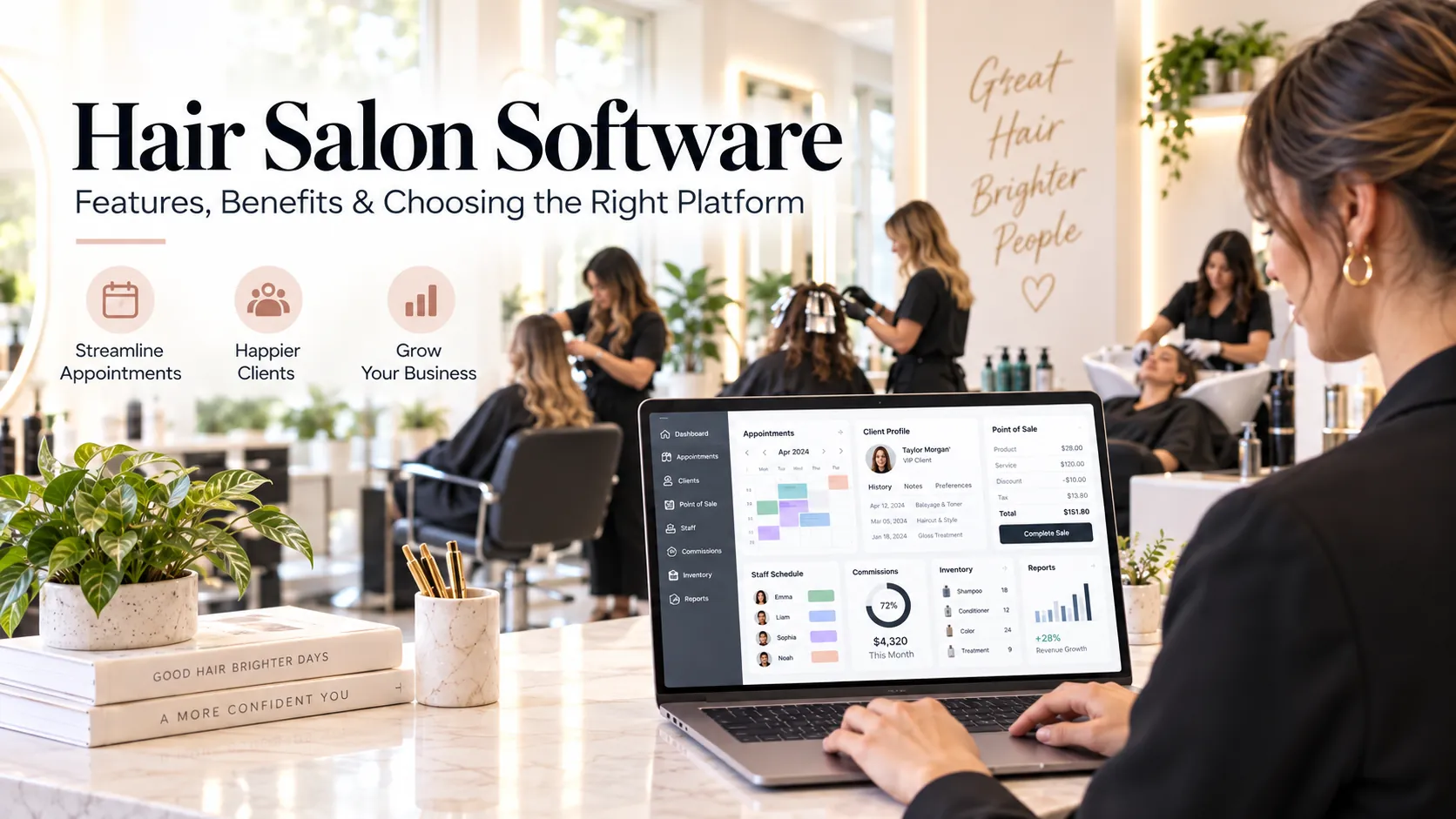
Hair Salon Software: Features, Benefits & How to Choose the Right Platform

Hair salon software is a business platform designed to connect appointments, client history, POS, staff schedules, commissions, product usage and reporting. The be…

September 202615 min read
Hair salon software for appointments, clients, billing, staff management, inventory and business reporting

Hair salon software is a business platform designed to connect appointments, client history, POS, staff schedules, commissions, product usage and reporting. The best platform is the one that understands the realities of hair services—different durations, colour-processing time, wash stations, assistants, specialist skills and repeat-visit patterns—without making the front desk complicated.

Key takeaways

  • What is hair salon software?.

  • Why hair salons need more than a simple calendar.

  • The eight core modules worth prioritising.

  • How to choose the right hair salon software.

A hair salon can look calm from the customer’s chair while the operational side is doing a lot of work at once. One stylist is finishing a haircut. A colour client is processing. Another customer has arrived early. A walk-in wants a blow-dry. The wash station is occupied. Reception is answering WhatsApp, moving an appointment and taking payment.

That is the environment in which hair salon software has to prove itself. A system is useful when it reduces coordination work during busy periods, keeps customer and commercial data consistent, and gives the owner a reliable picture of what actually happened.

This guide explains what hair salon software should do, where generic booking tools usually fall short, which features matter most and how to evaluate a platform before moving your team onto it.

What is hair salon software?

Hair salon software is an integrated operating system for running the customer and business workflows of a hair salon. Depending on the platform, it can include appointment booking, online booking, client CRM, point of sale, GST-ready invoicing, staff attendance, commissions, inventory, memberships, packages, loyalty, reminders, marketing and multi-location reporting.

The difference between a useful platform and a collection of separate tools is the connection between those functions.

Imagine a customer books a colour service. The booking should reserve the right colourist and enough time. If the service needs an assistant or wash station later, the schedule should reflect that. When the customer arrives, the stylist should be able to see relevant history. At checkout, the completed service should flow into the bill, staff credit and customer record. If the salon tracks product consumption, colour or treatment stock should also be updated.

The closer the software follows the real workflow, the less duplicate work the team has to do.

Why hair salons need more than a simple calendar

Hair services are not all interchangeable blocks of time.

A men’s haircut may require one stylist and one chair for 30 minutes. A full-head colour may involve consultation, application, processing, washing, toning and finishing. The stylist may be free during part of the processing time, but the customer may still occupy a chair and will need a wash station later. A keratin treatment can tie up both staff time and physical capacity for hours.

A basic calendar can store those appointments, but it does not necessarily understand them.

Hair salon software should help model:

  • different service durations by service or customer requirement;

  • staff skills, such as colourist, senior stylist or junior stylist;

  • processing time that does not require continuous stylist attention;

  • wash-station or chair requirements;

  • assistant involvement;

  • buffers for consultation, cleanup or late running;

  • repeat or recurring appointments;

  • walk-ins alongside online bookings.

This operational detail is what protects the customer experience when the salon gets busy.

The eight core modules worth prioritising

1. Appointment and online booking

The appointment book should be fast enough for reception and accurate enough for self-service booking. Online availability must come from the same calendar used by the front desk.

Customers should be able to choose a service, preferred stylist where appropriate, date and time without calling. Reception should be able to add walk-ins, extend services or move appointments without creating a second version of the schedule.

2. Client CRM and service history

A good client record goes beyond name and phone number. It can include previous services, preferred stylist, formulas or notes where appropriate, allergies or service considerations if your business legitimately records them, package balances, purchase history, communication preferences and future bookings.

The goal is continuity. A customer should not have to explain the same basic preferences every time a different team member serves them.

3. POS and billing

Checkout should start from the completed appointment rather than from a blank bill. The system should support services, retail products, discounts, packages, memberships, taxes, split payments and refunds according to your business model.

For Indian salons, verify GST invoice configuration, UPI-friendly payment workflows and end-of-day reconciliation.

4. Staff schedules and commissions

The platform should connect staff working hours with bookable availability. Leave, breaks and shift changes should affect the calendar.

Commission rules also need clarity. Hair salons may pay different commission rates on services and retail products. Discounts, refunds and package redemptions can complicate the calculation. Staff should be able to understand how their commission was derived.

5. Inventory and back-bar control

Hair salons carry two broad types of inventory: products sold to customers and products consumed while delivering services.

Retail stock is straightforward. Back-bar stock is harder. Colour tubes, developers, treatments, shampoos and other professional-use products may be consumed gradually.

Do not expect software to create perfect stock accuracy automatically. Look for a practical system that records purchases, sales, internal consumption, adjustments, low-stock alerts and stock counts in a way the team will actually maintain.

6. Packages, memberships and loyalty

Packages and memberships are powerful only when balances are easy to understand at booking and checkout.

The platform should show what the customer owns, what has been redeemed, what expires and whether a service is covered. Staff should not have to search old invoices or WhatsApp messages to confirm entitlement.

7. WhatsApp/SMS reminders and retention automation

Appointment confirmations and reminders can reduce front-desk calling and make it easier for customers to change plans before a slot is lost.

Retention automation can go further: identify customers who are due for a colour refresh, haircut, treatment or other repeat service and create a relevant follow-up audience.

Automation works best when it uses service history and future-booking status. Sending a “time to rebook” message to someone who already has an appointment is a sign of disconnected data.

8. Reporting and owner dashboards

Owners need answers, not a wall of charts.

Useful hair salon metrics include:

  • revenue by service category;

  • revenue and utilisation by stylist;

  • rebooking rate;

  • cancellations and no-shows;

  • average bill value;

  • retail product attachment;

  • package liability and redemption;

  • stock variance;

  • new vs repeat customers;

  • branch comparison for multi-location salons.

A report should lead to a decision. If a metric cannot change what you do, it may not deserve prominent dashboard space.

The hair-colour scheduling test

One of the best ways to test hair salon software is to give the vendor a realistic colour scenario.

For example:

A client books full colour with a senior colourist. The colourist needs 35 minutes for application, the colour processes for 40 minutes, an assistant can wash the client, and the colourist returns for finishing. The customer occupies a station for most of the visit.

Ask the vendor to schedule this live.

Watch what the software does with the colourist’s time, the assistant, the wash station and the customer’s overall visit. Then move the appointment, make the colourist unavailable, and see whether the system recalculates cleanly.

This test reveals far more than asking whether the product has “advanced scheduling.”

How AI can help a hair salon

AI is most useful after the core operational data is reliable.

Potential uses include summarising weekly performance, identifying customers who may be due to return, highlighting unusual drops in rebooking, suggesting customer segments, forecasting likely busy periods or letting the owner ask natural-language questions about salon performance.

However, AI cannot compensate for poor data discipline. If staff share logins, create duplicate customers, skip appointment statuses or do not record stock movements, the recommendation layer becomes less trustworthy.

Use this order:

  1. standardise the workflow;

  2. capture consistent data;

  3. automate repeatable tasks;

  4. apply AI to analysis and prioritisation.

That produces much more value than adding AI features before the basics work.

Cloud-based vs desktop hair salon software

Most growing salons benefit from cloud-based software because owners and managers can access the business from multiple devices and locations, updates are handled centrally and customer data does not depend on one reception computer.

Still, ask practical questions:

  • What happens if the internet connection is unstable?

  • Is there a mobile app or responsive mobile dashboard?

  • How are backups handled?

  • Can you export your own data?

  • Does the vendor maintain an audit trail?

  • Are permissions role-based?

  • Can a former employee’s access be removed immediately?

Cloud does not automatically mean secure or well designed. Evaluate the controls, not the label.

How to choose the right hair salon software

Start with your five most difficult workflows

Do not begin with a 100-feature spreadsheet. Begin with what currently creates operational pain.

Examples might be:

  1. colour appointments with processing time;

  2. walk-ins during peak hours;

  3. packages and prepaid balances;

  4. staff commission disputes;

  5. back-bar inventory;

  6. multi-branch reporting;

  7. WhatsApp follow-up.

A product that solves your difficult workflows is usually more valuable than one that offers dozens of minor features.

Test the front desk under pressure

During the trial, create a busy Saturday. Add online bookings and walk-ins. Move an appointment. Mark a stylist absent. Extend a service. Take a split payment. Redeem a package. Issue a refund.

Count how many steps each task takes.

Software that feels simple in an empty demo account may feel completely different when eight customers are arriving and the phone is ringing.

Review permissions carefully

An owner, manager, receptionist and stylist should not necessarily see the same information.

Check whether you can control access to:

  • price changes;

  • refunds;

  • customer exports;

  • commission reports;

  • full revenue reports;

  • stock adjustments;

  • branch-level data;

  • user management.

Shared administrator accounts make it difficult to identify mistakes and create avoidable security risk.

Understand the total cost

Compare more than the subscription price. Consider:

  • setup or onboarding fees;

  • additional outlet charges;

  • user limits;

  • WhatsApp or SMS messaging costs;

  • payment fees;

  • migration;

  • premium support;

  • add-on modules;

  • contract terms.

The cheapest package can become expensive if important workflows require several paid add-ons.

Implementation checklist

Before going live, prepare the business itself.

Services: standardise names, categories, prices, durations and taxes.

Staff: define skills, shifts, leave rules, access levels and commissions.

Customers: remove duplicates and decide what data should be imported.

Inventory: clean product names, opening stock and supplier records.

Packages: verify balances and expiry rules.

Booking rules: configure notice periods, buffers, deposits and cancellation policies.

Messages: prepare confirmations, reminders and follow-ups.

Then run a controlled test with the staff who use the system most. Fix confusing steps before customers depend on them.

Common mistakes hair salons make when buying software

The first is choosing software mainly because the demo looks modern. Design matters, but workflow depth matters more.

The second is moving dirty data into the new system. Duplicate customer records and inconsistent service names do not become better because they are in new software.

The third is giving every employee broad access during setup and never tightening permissions.

The fourth is automating marketing too quickly. If your booking statuses and customer profiles are unreliable, automation can amplify mistakes.

The fifth is trying to configure everything on day one. Start with the core flow—booking, customer, service, billing and staff—then add advanced automation after the team is comfortable.

Search and AI usefulness

This article keeps hair salon software as the primary subject and answers the main follow-up questions within one page rather than creating thin pages for minor keyword variations. For stronger visibility over time, add original screenshots, workflow diagrams, verified customer examples and first-party benchmarks when available. Those assets give readers information that generic summaries cannot reproduce.

Frequently asked questions

What is the main benefit of hair salon software?

The main benefit is connected operations. Booking, customer history, billing, staff activity and reporting use the same data, reducing manual coordination and improving visibility.

Can hair salon software handle walk-ins?

Yes. A good system should let reception create a walk-in quickly and immediately update staff and resource availability so online booking remains accurate.

Is hair salon software useful for a small salon?

It can be. A small salon benefits once appointments, customer history, payments or staff schedules become difficult to manage reliably in notebooks, spreadsheets or separate apps.

Can it track colour inventory?

Some platforms can track professional-use inventory or consumption rules, but the depth varies. Test how the system handles colour tubes, developers, adjustments and stock counts before assuming it will meet your requirements.

Should hair salon software include WhatsApp?

If WhatsApp is central to your customer communication, integration can be valuable for confirmations, reminders and follow-up. Check how templates, consent, message costs and delivery reporting are handled.

What should I ask during a demo?

Ask the vendor to perform your hardest real workflow live. For a hair salon, a complex colour appointment with processing time, resource constraints and a later checkout is an excellent test.

Final thoughts

The best hair salon software is not defined by the number of menu items in the dashboard. It is defined by how well the platform reflects the real salon: the people, timing, customer history, services, products and commercial rules that have to work together every day.

Choose the system that makes busy periods easier to control, gives staff fewer reasons to create workarounds and gives the owner data they can trust.

For Wellnito, that means a clear product promise: one connected platform for appointments, customers, billing, staff, inventory and retention—designed around the way salons actually operate.

CONTACT US

Run your salon from your phone

Get the Wellnito app to manage appointments, billing, and WhatsApp marketing on the go — anytime, anywhere.

Get it on Google Play