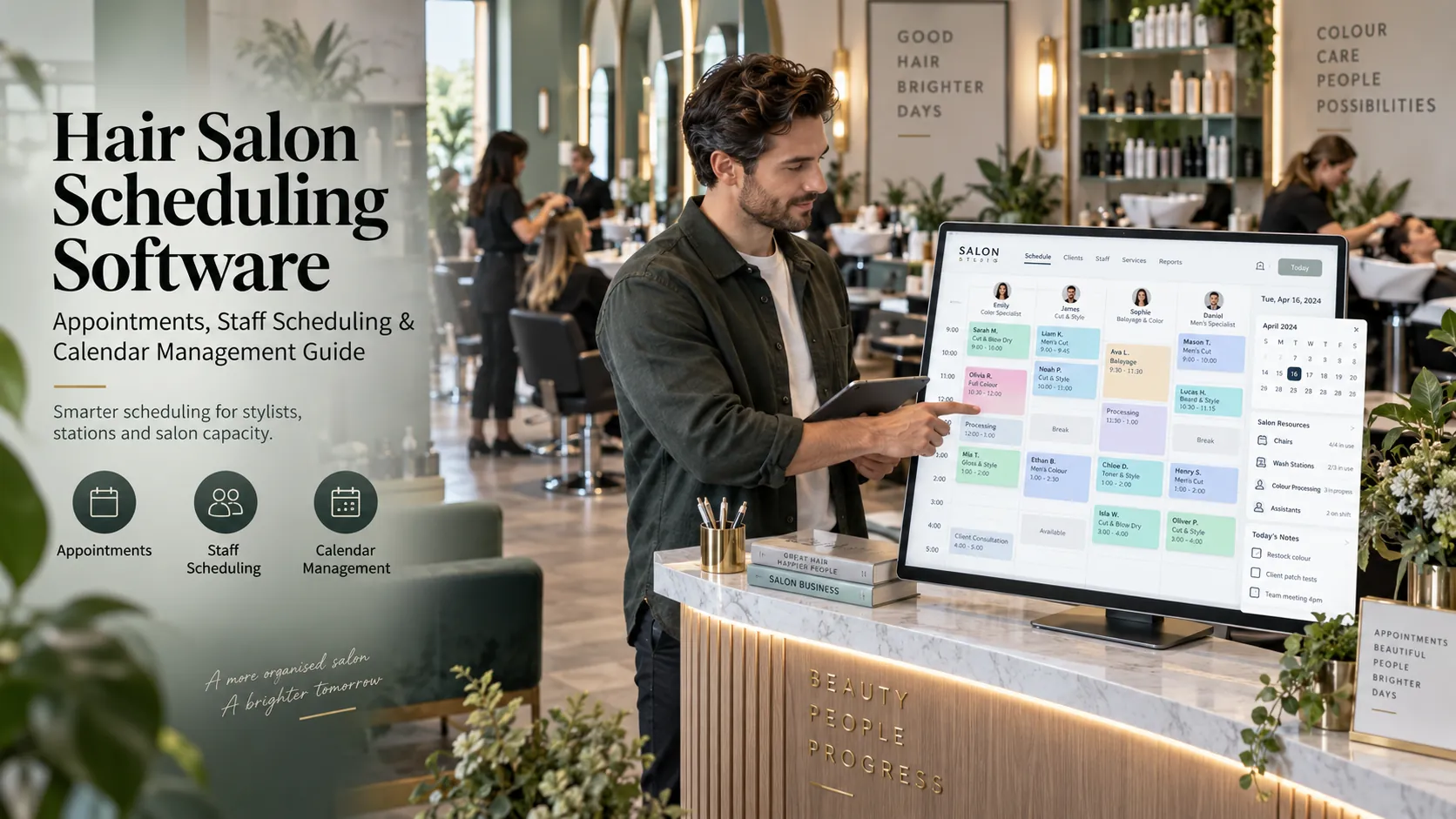
Hair salon scheduling software coordinates stylist availability, service duration, colour-processing time, assistants, wash stations, chairs and customer appointments. A strong system helps the salon use stylist capacity efficiently without creating overlaps that cause waiting or late running.
Key takeaways
The difference between appointment length and stylist workload.
Staff skills are part of availability.
Staff-specific service duration.
Wash-station scheduling.
Chair capacity.
Hair-salon capacity is more complicated than “one stylist, one customer.”
During a colour service, a stylist may apply product and then be free while it processes. A client may still occupy a chair. Later, a wash station is needed. An assistant may handle washing, while the colourist returns for finishing.
A standard calendar can represent the entire visit as one long block, but that may underuse the stylist.
Or it can open the processing period as free time without protecting the physical resources needed later, which may create a conflict.
Hair salon scheduling software has to find the middle ground.
The difference between appointment length and stylist workload
A three-hour colour appointment does not necessarily require three hours of continuous colourist attention.
Break the service into components.
Example:
Stage
Customer time
Stylist time
Resource
Consultation/application
40 min
40 min
Chair
Processing
45 min
5 min checks
Chair
Wash
15 min
Assistant
Wash station
Tone/finish
45 min
45 min
Chair
This structure reveals usable stylist capacity during processing.
Not every salon needs to schedule at this level of detail. But colour-heavy businesses should understand whether the software supports segmented service timing.
Staff skills are part of availability
Stylists may specialise in:
cuts;
colour;
balayage;
extensions;
texture services;
bridal styling;
treatments.
A staff member can be free but still be unavailable for the selected service.
Configure skills explicitly.
Online booking should only offer qualified professionals.
Reception should also receive a warning if it attempts to assign a service outside the staff member’s skill profile.
Staff-specific service duration
Experience can change timing.
A senior stylist may complete a standard haircut faster than a junior stylist. Complex colour timing can vary by professional.
If the software allows staff-specific service duration, the calendar can be more realistic.
Use this feature selectively.
Too much individual configuration can become difficult to maintain.
Start with services where the timing difference meaningfully affects capacity.
Wash-station scheduling
Wash stations are a classic hidden constraint.
A salon may have eight stylists and only three wash stations.
If several colour or treatment clients need washing at the same time, the day can bottleneck even when stylists appear free.
Resource-aware scheduling should reserve wash-station capacity.
This is particularly useful for salons that experience recurring delays around the same part of the service journey.
Chair capacity
Not every salon needs to track chairs separately.
If each stylist effectively has a fixed chair, staff availability may already represent capacity.
If chairs are shared, processing clients remain seated or the layout creates specific station limits, chair scheduling becomes more relevant.
Do not configure resources only because the software allows it.
Configure the resources that actually constrain the business.
Assistants
Assistants change the economics of a hair salon.
A senior stylist may hand off washing, preparation or blow-dry support.
Scheduling software can help if it allows the salon to represent assistant requirements.
At minimum, the team should be able to see where assistant demand clusters.
If five senior stylists all need support at 2:30 PM, one assistant cannot satisfy the schedule even though every stylist is technically available.
Breaks and buffers
Hair work is physical.
A schedule that removes every gap may look efficient and still create poor performance.
Protect:
lunch;
short breaks;
room for service overrun;
consultation;
cleanup;
setup.
Use recurring breaks instead of ad-hoc blocks where possible.
For buffers, decide whether they should block the stylist, chair or both.
Walk-ins
Walk-ins can be profitable when there is genuine capacity.
A scheduling system should help reception answer:
Who is actually free?
For how long?
What services can they perform?
Will the walk-in create a conflict with an upcoming booking?
The fastest free stylist is not always the correct assignment.
Rebooking and recurring customers
Hair services have natural repeat cycles.
The scheduling system should make future booking easy.
For example, a colour customer may want the same weekday and stylist every six weeks.
Recurring appointment support can help, but every future booking should still be checked against leave, holidays and shift changes.
Do not allow recurrence to override reality.
Late running
Hair appointments can overrun because of:
consultation;
hair length;
correction work;
customer lateness;
service add-ons.
The calendar should make the downstream impact visible.
Useful tools include:
appointment status;
estimated overrun;
drag-and-drop adjustment;
customer notification;
staff reassignment.
The system does not need to automatically solve every delay. It needs to show the team what the delay will affect.
A colour-processing stress test for vendors
Ask the vendor to build this live:
A colourist has Client A from 10:00. Application takes 30 minutes. Processing takes 45 minutes. The client needs a wash station at 11:15. The colourist can perform a 30-minute haircut during processing. An assistant is available for washing.
Then:
make the assistant unavailable;
reserve all wash stations;
move Client A;
extend the haircut;
add a walk-in.
Watch how the schedule reacts.
This is a stronger test than asking, “Do you support colour processing?”
Utilisation by stylist
Stylist utilisation can help identify opportunity.
Possible formula:
Booked service time ÷ available working time
But context matters.
A stylist with 95% utilisation may be overloaded. A stylist at 65% may be intentionally available for walk-ins or complex work.
Use utilisation with:
service mix;
revenue per hour;
rebooking;
customer satisfaction;
breaks;
seniority.
Scheduling should support management judgment, not replace it.
Fair distribution of work
New-client allocation can affect team development.
If all new customers are given to the first stylist shown on the calendar, some staff may struggle to build a book.
Scheduling software can help managers review:
new clients by stylist;
booked hours;
high-value services;
gaps;
repeat rate.
The business can then decide whether it wants “earliest available,” round-robin, skill-based or manual allocation.
Implementation checklist
Before moving the calendar:
Services: define duration and processing.
Stylists: assign skills.
Shifts: configure working hours.
Assistants: decide whether and how to schedule.
Resources: add wash stations or chairs only where needed.
Buffers: protect realistic operating time.
Leave: make it part of availability.
Online booking: publish only after internal scheduling works.
Then copy a real busy week into the system.
If the new calendar cannot represent what the salon actually did, the configuration is incomplete.
Scheduling reports to use
Track:
stylist utilisation;
revenue per booked hour;
processing-time capacity;
wash-station peaks;
walk-ins accepted;
late starts;
overruns;
cancellations;
unfilled peak demand;
rebooking.
Use the reports to find the constraint.
Sometimes the problem is not “we need more stylists.” It may be “we need better colour spacing” or “the wash station is the bottleneck.”
Scheduling for bridal and event styling
Event work introduces another type of capacity problem.
Several customers may need to be ready by the same deadline, services can involve hair and makeup, and staff may work off-site.
Scheduling software should help the manager reserve:
travel time;
setup;
multiple professionals;
service sequence;
buffer before the event deadline.
A normal salon slot model may not be enough.
If bridal or event work is an important category, create a real event schedule during the software trial.
How to use scheduling data for hiring decisions
Owners sometimes interpret a full calendar as proof that another stylist is required.
Look deeper.
Ask:
Which days are full?
Which services create the pressure?
Which skills are constrained?
Are chairs or wash stations the bottleneck?
Is demand concentrated around one popular stylist?
Are there unused hours at other times?
You may need a colourist, not another general stylist. You may need a revised roster, not more headcount.
Scheduling data can turn a feeling of “we are always busy” into a more precise staffing decision.
Calendar permissions
Decide which users can:
block time;
edit shifts;
move other staff appointments;
override conflicts;
change service duration;
mark leave;
delete appointments.
A stylist should be able to manage appropriate parts of their day without accidentally changing business-wide capacity.
Permission design is part of scheduling quality.
Search and AI usefulness
This article keeps hair salon scheduling software as the primary subject and answers the main follow-up questions within one page rather than creating thin pages for minor keyword variations. For stronger visibility over time, add original screenshots, workflow diagrams, verified customer examples and first-party benchmarks when available. Those assets give readers information that generic summaries cannot reproduce.
Frequently asked questions
What is hair salon scheduling software?
It is software that coordinates hair appointments with stylist shifts, skills, service duration and resources such as wash stations.
Can it schedule colour processing?
Some specialist platforms can separate active staff time from processing time. Test the exact workflow.
Can it manage assistants?
Capabilities vary. Ask whether assistants can be assigned to service stages or at least scheduled as resources.
Does it prevent double booking?
It should prevent conflicts based on the staff and resources configured in the system.
Is 100% stylist utilisation a good target?
Not necessarily. Hair salons need realistic breaks, buffers and capacity for unexpected changes.
Should online booking use the same schedule?
Yes. A separate online calendar increases the risk of conflicts and manual reconciliation.
Final thoughts
Great hair salon scheduling software understands the salon’s rhythm.
It knows that customer time and stylist time are not always identical.
It recognises skill and resource constraints.
And it keeps the calendar useful when the day changes.
That makes scheduling a capacity-management tool, not just a diary.