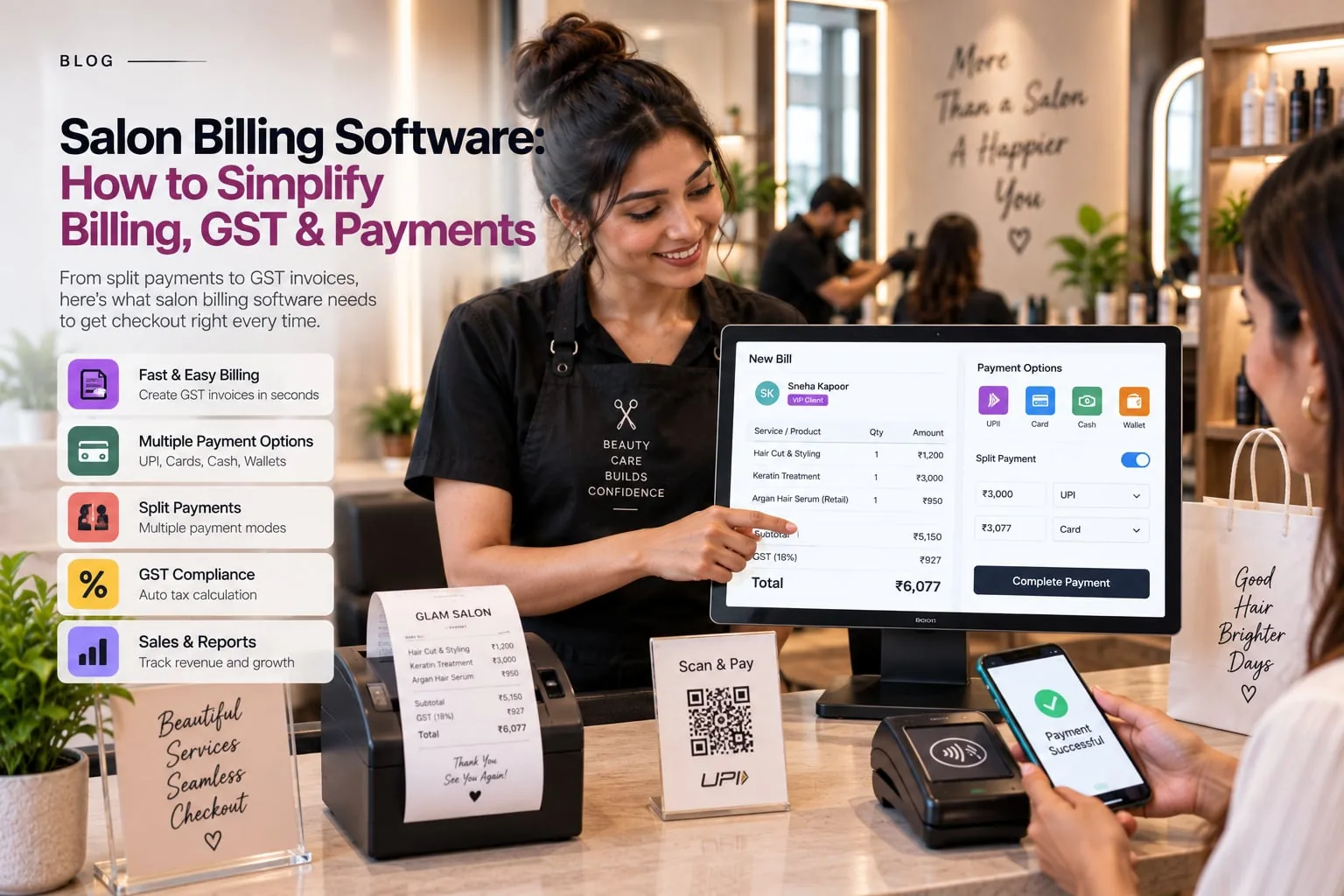
Indian salons have a distinctive operating mix: appointments and walk-ins, WhatsApp conversations, UPI payments, packages, staff commissions and customers who expect personal service. This guide is for salon owners, cashiers and front-desk teams who are researching salon billing software. Its search intent is mainly problem-solving informational: the reader wants to understand the category, judge what matters and avoid a purchase that creates a new layer of admin instead of removing one.
A realistic stress test is checkout time when a service, retail product, package redemption and split payment can all appear on one bill. The system earns its value when the team can resolve the situation from shared records rather than asking who last updated a separate file.
What the search term really means
Salon Billing Software is best understood as a business workflow category rather than a single feature. For salon owners, cashiers and front-desk teams, the goal is to reduce billing errors, manual tax calculations, payment mismatch while keeping the customer experience personal. A capable system should make information easier to capture once, reuse safely and report later. It should not force the team to become software operators at the expense of serving clients.
The right breadth for salon billing software changes as a salon grows. Do not overbuy complexity for a small team, but do not choose a tool that forces an expanding business to rebuild its processes six months later.
The workflow behind the software
Consider this situation: A colour service uses professional product from the back bar while the client also buys a retail after-care item. A disconnected setup makes the team translate the same information between people and tools. A connected salon billing software workflow should preserve the booking or transaction context, show the next action clearly and leave a trace that can be reviewed later.
This is why billing errors and manual tax calculations are not merely administrative irritations. They consume attention at exactly the moment staff should be focused on the client. Reducing those small interruptions can improve consistency without making the salon feel automated or impersonal.
Where manual methods start to break
Billing Errors is easy to dismiss when only a few people are involved. As more staff and transactions enter the process, the informal fix becomes harder to control and audit.
The business impact of manual tax calculations is not measured only in minutes. It also shows up when employees hesitate to rely on shared information and build their own parallel records.
A mature process treats payment mismatch as an exception worth seeing, not background noise. Timely visibility gives the branch manager a chance to correct the root cause rather than only the result.
A salon can tolerate occasional slow checkout, but it should not need a daily manual control to compensate for it. That is a sign the workflow and the operating process are misaligned.
Features worth testing in a live demo
Service Billing
Do not treat service billing as a checkbox. A service bill should be quick to build and difficult to misread. The cashier needs the correct service, staff attribution, tax treatment and package or discount logic in one flow. This is also where reporting quality begins: clean operational inputs create reports that managers can trust.
Gst Ready Invoices
For salon billing software, GST-ready invoices deserves a live test. GST-aware invoicing needs consistent business details, tax configuration and invoice records. The software can organise the process, while the salon should still follow the advice of its tax professional. This is also where reporting quality begins: clean operational inputs create reports that managers can trust.
Upi/Card/Cash Capture
The value of UPI/card/cash capture becomes obvious only in everyday use. Different payment modes should be recorded at checkout, including split payments where relevant, so the sales report can be matched with cash, bank and gateway settlements. A salon should be able to configure the rule once, train the team and then use it consistently across busy and quiet periods.
Discount Controls
A strong implementation of discount controls should reduce decisions the team has to reconstruct manually. Discounts need permissions and reasons. Without them, a generous front desk can quietly create margin leakage that is difficult to explain at month-end. A salon should be able to configure the rule once, train the team and then use it consistently across busy and quiet periods.
Refunds
One area to examine closely is refunds. Refunds and reversals should leave an audit trail rather than simply deleting the original sale. That protects both the customer conversation and the financial record. Ask the vendor to demonstrate a normal case and an exception, because exceptions are where weak workflows usually appear.
Day End Reconciliation
Do not treat day-end reconciliation as a checkbox. Day-end reconciliation should compare sales with actual collections by mode. A small mismatch is easier to investigate today than three weeks later. Ask the vendor to demonstrate a normal case and an exception, because exceptions are where weak workflows usually appear.
Sales Reports
For salon billing software, sales reports deserves a live test. Sales reports should separate services, retail, packages, discounts, taxes and refunds so owners can understand what is driving revenue rather than looking only at one total. If staff need a spreadsheet or WhatsApp note to complete the same process, the feature is not fully connected.
A practical Indian salon scenario
Indian salon operations often combine high-touch service with very practical digital habits. Customers may discover the salon on Instagram, enquire on WhatsApp, book through a link and pay by UPI. Salon Billing Software should connect enough of that journey to prevent the front desk from manually rebuilding the story at each step.
Adoption provides a practical answer to the question of fit. If the team can complete normal work in salon billing software without maintaining unofficial records elsewhere, the configuration is moving in the right direction.
How to evaluate the return
The return from salon billing software should be measured in operational outcomes, not login counts. A useful scorecard for this topic includes billing time, mismatch rate, discount leakage and collection visibility. Choose three or four measures before implementation and record a baseline so the owner can see whether the new process is genuinely improving the business.
Operational quality is part of ROI. With salon billing software, measure time recovered, errors prevented and decisions made faster alongside direct commercial metrics, rather than assuming the platform itself will create revenue.
Questions to ask before buying
- Can you demonstrate service billing using our own service menu rather than sample data?
- What happens when billing errors occurs - can staff correct it without losing history?
- What optional or usage-based charges should we budget for in addition to the monthly or annual subscription?
- Before we buy, can you demonstrate an export and explain data retention after account closure?
- Which permissions can be limited by role, branch or responsibility?
- Which support resources remain available long term, and are refresher sessions included or separately charged?
A good sales demo should survive these questions comfortably. The aim is not to catch the vendor out; it is to discover whether the system can handle the ordinary exceptions that make salon operations real. For salon billing software, one live end-to-end workflow is more informative than twenty screenshots.
Implementation without drama
- The post-launch clean-up matters. Stable salon billing software workflows should replace duplicate registers, not sit beside them as another task for reception.
- Set up services deliberately rather than copying an old spreadsheet wholesale. Keep active items, retire obsolete ones and review which services can be self-booked safely.
- Set permissions as part of onboarding, not as a security clean-up later. Individual salon billing software accounts make training, accountability and offboarding much easier.
- Import information the team can stand behind. If a legacy record is incomplete or duplicated, resolve it before it becomes part of the salon billing software source of truth.
- The first training goal is operational fluency, not feature awareness. Staff should be able to complete their core salon billing software tasks under pressure before the team explores optional modules.
- Create a temporary go-live checklist for salon billing software. Daily reconciliation for one or two weeks helps distinguish user-training issues from configuration problems quickly.
Implementation succeeds when the team understands why the process changed. Explain the customer or business problem behind each rule. People are more likely to use salon billing software correctly when they can see that it prevents a specific headache rather than simply satisfying management's desire for a new system.
What good usage looks like after 90 days
Wellnito can be evaluated as one option for salons that prefer connected workflows across booking, billing, customer management and operational reporting. Use your own data in the demo and ask the team to show the exception cases that matter to your business. A platform should earn confidence through the workflow, not through a long list of modules.
Frequently Asked Questions
How should I compare the price of two salon platforms?
Judge salon billing software by value and total spend together. A slightly higher subscription can be economical if it removes paid add-ons or repeated manual work that another platform leaves outside the core plan.
What reports should an owner review every month?
For this topic, start with billing time, mismatch rate, discount leakage and collection visibility. A monthly review should be short enough that managers use it consistently and specific enough to trigger a decision.
Is this type of salon software suitable for a small business?
Yes, if the workflow is simple enough to configure without adding unnecessary admin. A small salon should prioritise the two or three problems it actually has and avoid paying for complexity it will not use. Salon Billing Software becomes more valuable as bookings, staff and customer history grow.
Can the system work with walk-ins as well as appointments?
It needs to. Indian salons often operate a hybrid queue, and salon billing software should let an unplanned client enter the workflow without breaking appointment or reporting logic.
What should I ask during a software demo?
The best evaluation is hands-on. Have the vendor demonstrate salon billing software with your services, your package logic and a realistic correction, not just a polished dashboard.
Conclusion
Salon Billing Software: How to Simplify Billing, GST & Payments is ultimately a business-process question. The strongest salon billing software is the one that matches how your salon actually works, removes repeated manual steps and gives staff enough context to serve customers confidently. Use the keyword research to find the category, but use real workflows to make the buying decision. Measure the result through billing time, mismatch rate, discount leakage and collection visibility, and keep the setup simple enough that the team can follow it on the busiest day of the week.