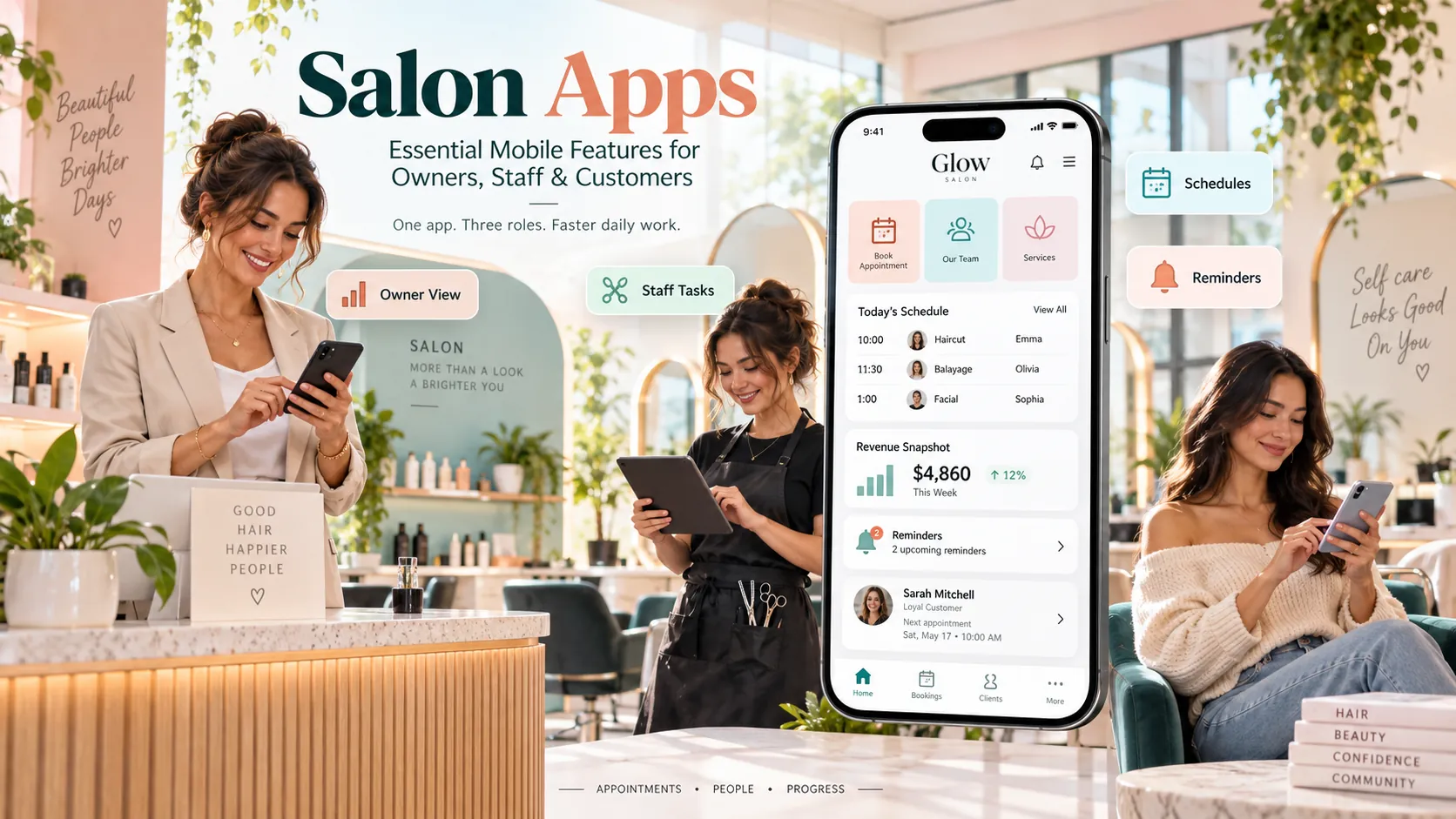
Salon apps are mobile interfaces for customer booking, staff operations and owner visibility. A useful salon app does not try to squeeze an entire desktop system onto a phone; it gives each user fast access to the small number of tasks they need most.
Key takeaways
Customer salon app.
Staff salon app.
Owner and manager app.
Role-based mobile permissions.
Mobile booking calendar.
There is no single “salon app.”
A customer, stylist, receptionist and owner may all use mobile software for completely different reasons.
The customer wants to book.
The stylist wants to know who is next.
The owner wants to know what needs attention.
Trying to give all three the same interface usually creates clutter.
This guide breaks down the mobile features that matter for each role and explains how to evaluate salon apps as part of a larger salon platform.
Customer salon app
A customer-facing app can support:
service discovery;
preferred staff;
rebooking;
rescheduling;
cancellation;
deposits;
packages;
loyalty;
appointment history.
The app should focus on actions.
Promotional banners and offers should not make it harder to find the next appointment or book again.
Staff salon app
A staff app may include:
daily schedule;
customer name;
service;
appointment status;
relevant notes;
breaks;
leave request;
notifications;
rebooking;
limited customer history.
Staff need speed.
A stylist with wet hands between clients should be able to check the next appointment without navigating a dashboard designed for accountants.
Owner and manager app
Owners need exceptions and concise performance.
Useful mobile information includes:
current sales;
bookings;
cancellations;
no-shows;
staff attendance;
revenue vs target;
branch comparison;
stock alerts;
unusual gaps.
The phone is good for monitoring.
Deep analysis may still be better on a desktop.
Design the app around what the owner needs to know away from the office.
Role-based mobile permissions
Mobile access should not bypass desktop permissions.
A staff member who cannot:
export customers;
issue refunds;
change prices;
edit commission;
view all branch revenue;
should not gain those powers because they opened the app.
Use individual logins.
Remove access when staff leave.
An app makes the system more accessible, which makes permission design more important, not less.
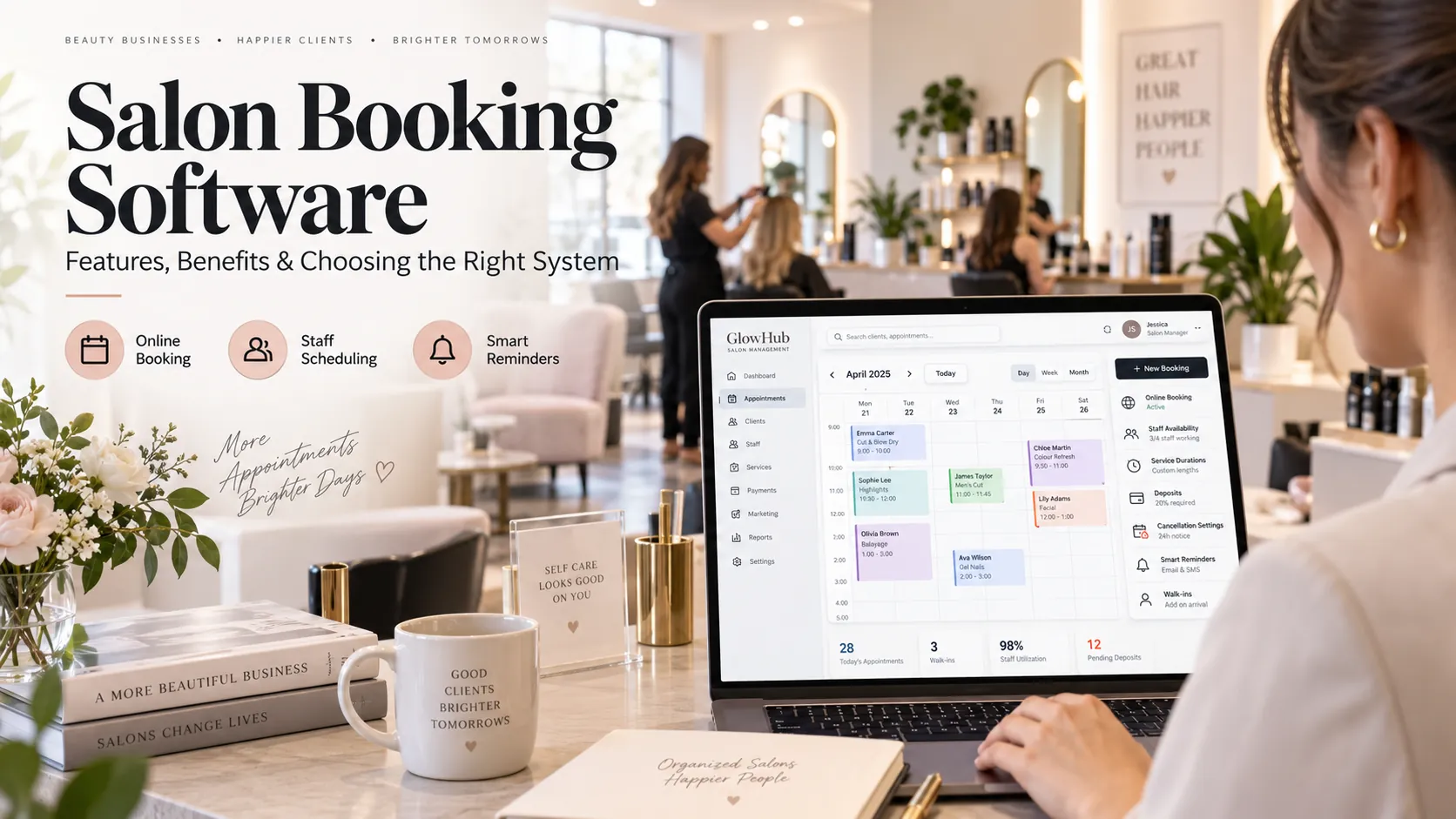
Mobile booking calendar
The staff calendar should show:
time;
customer;
service;
status;
duration;
relevant room/resource;
change alert.
Avoid excessive detail.
The user should be able to tap into more information when needed.
The first screen should help them answer, “What happens next?”
Notifications
Notifications are valuable only while people keep them enabled.
Prioritise actionable alerts.
Examples:
appointment cancelled;
booking changed;
new appointment;
customer arrived;
manager approval needed;
shift change.
Do not send a push notification for every small event.
Noise destroys the channel.
Mobile CRM
Staff may need customer context before a visit.
A mobile CRM view can show:
recent services;
preferred staff;
upcoming booking;
package balance;
relevant notes;
product purchases.
Hide fields the staff member does not need.
A mobile device can be lost or viewed by people nearby, so data minimisation improves usability and privacy.
Mobile POS
Some salons want checkout on a tablet or phone.
A mobile POS can be useful for:
chair-side checkout;
queue-based salons;
events;
pop-ups;
busy reception.
The experience should support the payment and invoice requirements of the business.
For Indian salons, test GST invoice configuration and UPI/payment integration.
Offline or poor network conditions
Ask what happens when connectivity drops.
Possible behaviours include:
read-only cached schedule;
queued updates;
no access;
limited billing.
You do not necessarily need full offline operation.
You do need to understand the failure mode.
If staff work in a location with unstable connectivity, test the app there before purchase.
App vs mobile web
A responsive web app can handle many salon tasks.
A native app may offer:
push notification;
device integrations;
stronger repeat-customer engagement;
smoother persistent login;
app-store presence.
Do not treat native as automatically superior.
Evaluate the task.
For first-time customer booking, mobile web often reduces friction.
For staff who use the platform all day, a native app may provide more convenience.
Tablet use at reception
Tablets sit between mobile and desktop.
A well-designed salon app can support:
front-desk calendar;
check-in;
POS;
digital intake;
self-check-in;
waiting area.
Test screen scaling.
Some mobile apps simply stretch a phone interface, which wastes the larger display.
App security checklist
Check:
individual accounts;
password or secure sign-in;
role-based permissions;
session timeout;
device logout;
audit trail;
data encryption practices;
rapid removal of former staff.
Avoid sharing one reception login across many devices.
Accountability becomes almost impossible.
Customer self-service
Mobile self-service can reduce routine front-desk work.
Customers may be able to:
confirm;
reschedule;
cancel;
pay deposit;
check package;
view loyalty;
rebook.
The business rules should remain the same.
A self-service reschedule should not create availability that reception would reject.
Staff adoption
Staff do not adopt software because management announces it.
They adopt it when the app is the easiest way to complete required work.
Train around real moments:
checking next client;
marking arrival;
seeing notes;
reporting delay;
requesting leave;
rebooking.
If a mobile action still requires a WhatsApp message to the manager afterwards, the workflow is incomplete.
Owner adoption
Owners may over-monitor when a mobile dashboard is always available.
Use a management rhythm.
For example:
Morning: bookings and staff attendance.
Midday: exceptions only.
Closing: sales and reconciliation.
Weekly: trends.
This prevents the app from turning management into constant screen checking.
AI inside salon apps
AI can make mobile software easier by reducing navigation.
An owner might ask, “How are we doing today?” and receive a concise operational summary.
A stylist might receive a short customer-history summary before the next appointment.
A customer might use natural language to find the right service.
AI is useful when it shortens a real task.
It should not replace permissions or invent business information.
What to test
Use each role.
Customer
Book and reschedule.
Staff
View schedule and customer context.
Reception
Create walk-in and check in.
Manager
Approve change and view exceptions.
Owner
Review key metrics.
Then switch devices.
A change made on one device should appear everywhere else using the same data.
A role-by-role mobile feature matrix
Feature
Customer
Staff
Manager/Owner
Book appointment
Yes
Sometimes
Yes
Reschedule
Yes
Limited
Yes
View client notes
No
Relevant only
Yes
View full revenue
No
Usually no
Yes
Check package
Yes
Yes
Yes
Issue refund
No
Usually no
Permission-based
View staff schedule
No
Own/approved
Yes
Export customers
No
No
Restricted
This simple matrix prevents mobile access from becoming “everyone can do everything.”
Mobile forms and check-in
Tablets or phones can support:
customer check-in;
consultation forms;
consent;
feedback;
waiting list.
Use forms selectively.
A long form at reception can slow the customer experience. Collect information only when it supports service or a legitimate requirement.
If customers complete forms on a shared device, make sure the previous customer’s information is not visible when the next person begins.
Salon apps for multiple branches
An owner app can be especially useful for chains.
The owner may want to switch between:
total network;
branch;
department.
Staff should remain limited to the branches they work in unless there is a clear reason for broader access.
Notifications should also respect branch context. A manager should not receive every cancellation from every outlet if another local manager owns the issue.
Mobile workflow audit
Once the app is live, list every high-frequency action staff still complete outside it.
Examples:
“I WhatsApp reception when I’m late.”
“I keep client notes in my phone.”
“I write package balance on paper.”
“I ask the manager to block my leave.”
Each workaround is a clue.
Either the app is missing a workflow, the permission is wrong or the user has not been trained on the faster route.
Mobile-first does not mean mobile-only
Some work is simply easier on a larger screen.
Bulk service editing, complex commission setup, deep financial analysis and large stock adjustments may be better suited to desktop.
A strong platform lets mobile handle high-frequency operational tasks while desktop handles configuration and analysis.
The data should stay identical. Only the interface changes.
This division keeps the app fast instead of turning it into a miniature version of every administrative screen.
Search and AI usefulness
This article keeps salon apps as the primary subject and answers the main follow-up questions within one page rather than creating thin pages for minor keyword variations. For stronger visibility over time, add original screenshots, workflow diagrams, verified customer examples and first-party benchmarks when available. Those assets give readers information that generic summaries cannot reproduce.
Frequently asked questions
What is a salon app?
It is a mobile interface for salon booking, staff workflows, management or customer self-service.
Do salons need a native app?
Not always. A responsive mobile web experience may be enough for many customer and staff tasks.
Should customers and staff use the same app?
They can use the same platform, but they should have different interfaces and permissions.
Can salon apps show customer data?
Yes, but staff should see only the information needed for their role.
Can a salon app replace desktop software?
It can cover many daily tasks, but complex setup and analysis may still be easier on a larger screen.
What is the most important staff feature?
Fast access to the current schedule and relevant customer context.
Final thoughts
Good salon apps are focused.
Customers book.
Staff serve.
Managers handle exceptions.
Owners stay informed.
The data underneath those experiences can be the same, but the mobile interface should respect the job each person is trying to do.