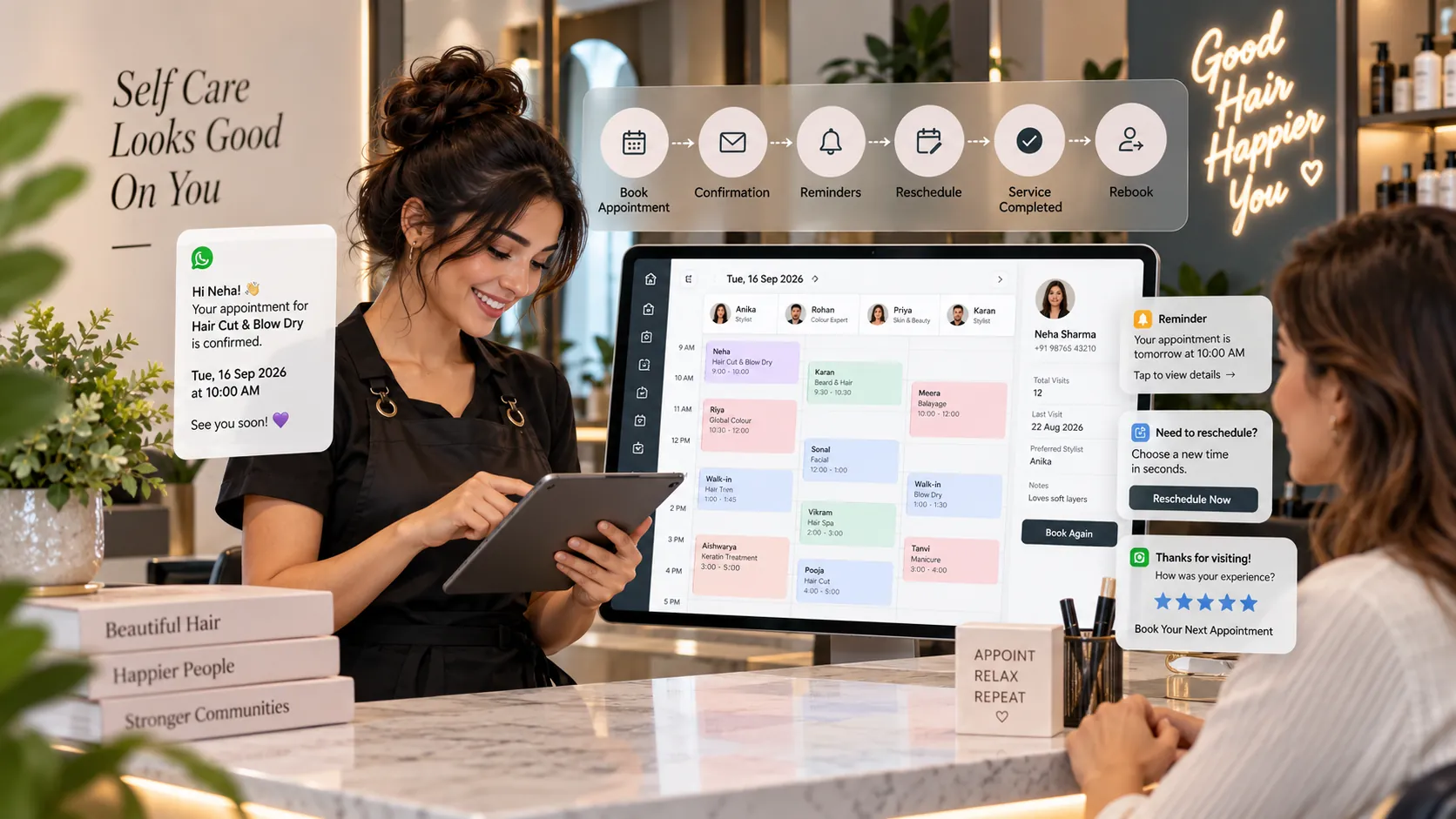
Salon appointment software manages the full lifecycle of an appointment—from creation and confirmation to reminders, arrival, service completion, billing, cancellation, no-show tracking and rebooking. The best systems keep every status change connected to the customer record and live salon schedule.
Key takeaways
What is salon appointment software?.
Build a clear appointment lifecycle.
Appointment creation.
Confirmation.
An appointment is often treated as one object: a box on a calendar.
Operationally, it is a sequence of events.
The customer books. The salon confirms. A reminder is sent. The customer may reschedule. They arrive. The service starts. An add-on may be included. The visit is completed. Payment is taken. The customer rebooks—or does not.
Salon appointment software should preserve that lifecycle.
When it does, the salon can improve customer experience and understand what happens between “booked” and “paid.”
What is salon appointment software?
Salon appointment software is a system for creating, updating and tracking appointments while connecting them to staff availability and client history.
It can include:
appointment creation;
calendar;
confirmation;
reminders;
waitlists;
self-rescheduling;
cancellation;
no-show status;
staff assignment;
customer notes;
service changes;
checkout;
rebooking;
appointment reporting.
The key is status.
A booked appointment and a completed appointment are not the same business event.
Software should preserve the difference.
Build a clear appointment lifecycle
Before configuring software, define the stages your salon actually uses.
A simple model may be:
Booked → Confirmed → Arrived → In Service → Completed → Billed
With alternative outcomes:
Cancelled
No-show
Some salons need more detail. Others need less.
Avoid creating dozens of statuses that staff will not use consistently.
Each status should answer a practical question.
For example:
Arrived: Is the customer physically at the salon?
Completed: Was the service delivered?
Billed: Was the transaction finished?
That clarity improves both operations and reports.
Appointment creation
Reception should be able to create an appointment quickly.
The minimum information usually includes:
customer;
service;
staff;
date;
time.
The system can attach duration, price and resource requirements from service configuration.
Avoid forcing reception to complete a long form while the customer waits.
Additional data can be added when it has a clear purpose.
Confirmation
Confirmation tells the salon the customer received the booking details and, depending on your workflow, accepted them.
The system may support:
automatic confirmation message;
customer reply;
one-tap confirmation;
manual confirmed status.
Do not confuse “message delivered” with “customer confirmed.”
The reporting should distinguish them if confirmation matters to your process.
Appointment reminders
A reminder should make the next action obvious.
Include:
salon name;
location;
appointment date;
time;
service if useful;
staff member if relevant;
reschedule/cancel option;
arrival instructions where needed.
The timing should match the service.
A high-value service booked weeks in advance may justify an earlier reminder plus a final reminder.
A short service booked for tomorrow may need only one.
Test reminder policy instead of sending more messages by default.
Rescheduling
Rescheduling is one of the highest-value appointment features because it protects capacity.
When a customer can change the appointment within the salon’s rules, reception handles fewer calls and the customer is less likely to simply miss the visit.
The software should:
keep the original appointment history;
release the old slot;
recheck staff and resources;
apply the notice policy;
preserve the deposit;
send the new confirmation.
A “move” should be a controlled transaction, not just dragging a box.
Cancellation
A cancellation should record:
when it happened;
who cancelled;
reason if collected appropriately;
notice period;
deposit outcome;
booking source.
This can help management understand lost capacity.
Avoid asking customers to complete a long cancellation survey. Keep the customer experience easy while preserving the operational data you actually use.
No-show tracking
Do not delete no-shows.
A no-show is a valuable operating signal.
Deleting the appointment may make the day look cleaner, but it removes the evidence needed to answer:
Which services are most affected?
Are new customers more likely to no-show?
Does booking lead time matter?
Do reminder changes help?
Are deposits justified?
Use a distinct no-show status.
Check-in
Check-in turns the appointment calendar into a live front-desk board.
Staff can see:
booked;
arrived;
waiting;
in service;
completed.
This is especially useful when several staff members share the front desk or customers move between services.
A salon that relies only on memory during busy periods loses visibility quickly.
Late arrivals
Salon appointment software should help the team handle late arrivals consistently.
The process may involve:
mark late;
assess remaining time;
shorten or modify service;
reassign staff;
reschedule;
apply policy.
The system does not need to make the decision automatically.
It should make the impact visible.
For example, extending one appointment may create a conflict with the next.
Service changes during the visit
Customers often change their service after consultation.
The appointment record should allow authorised staff to:
add an add-on;
remove a service;
change duration;
change price;
assign a different professional.
The updated service should flow to checkout.
If changes happen only on the final invoice, schedule and staff-performance data may no longer match reality.
Multi-service appointments
One customer can have several services in one visit.
The software should show whether those services:
happen sequentially;
use different staff;
require different rooms;
overlap;
have separate durations.
This matters for capacity.
A two-hour customer visit does not necessarily mean one employee is occupied for two hours.
Test this during a demo.
Appointment notes
Notes should support service continuity.
Useful examples may include:
preference;
consultation note;
service adjustment;
operational instruction.
Set boundaries around what staff record.
The system should also support permissions so sensitive information is not visible to every user.
Billing connection
Appointment software becomes much more useful when completion flows into POS.
Checkout should inherit:
customer;
services;
staff;
deposits;
package entitlement.
Reception can then adjust the final bill rather than recreating it.
That improves data quality for sales, staff, CRM and reporting.
Rebooking
The best time to rebook is often while the customer is still engaged with the salon.
Software can support:
next-visit recommendation;
suggested interval;
staff calendar;
recurring appointments;
follow-up if no rebooking occurs.
Rebooking should feel useful, not aggressive.
The recommended interval should make sense for the service.
Appointment reporting
Useful metrics include:
booked appointments;
completed appointments;
cancellations;
no-shows;
reschedules;
confirmation rate;
rebooking;
lead time;
booking source;
staff utilisation;
service mix.
The funnel matters.
For example:
100 booked appointments
→ 95 confirmed
→ 92 arrived
→ 90 completed
→ 65 rebooked
This tells the owner where the journey loses value.
How to choose salon appointment software
Test status handling
Can staff change status quickly?
Test reminders
Can timing and templates be configured?
Test rescheduling
Does it preserve deposits and history?
Test no-show reporting
Does a no-show remain visible?
Test service changes
Can the team modify the appointment without breaking checkout?
Test multi-service
Can different staff and resources be represented?
Test mobile
Can staff view and update appointments from the devices they use?
Test permissions
Can you control who edits prices, statuses and historical records?
Test export
Can you retrieve appointment history?
Implementation tips
Start with a small number of meaningful statuses.
Train the team on what each one means.
Make one role responsible for ensuring completed appointments are closed correctly.
Review incomplete or inconsistent appointments daily during the first few weeks.
If the team uses statuses reliably, reporting becomes dramatically more useful.
Waitlists can recover cancelled capacity
A waitlist is valuable when demand is higher than available appointment capacity.
Instead of simply telling a customer that the preferred time is unavailable, reception can record:
service;
preferred date;
time range;
preferred staff;
contact method.
When a cancellation appears, the team can identify suitable waiting customers.
More advanced systems may help automate this process, but speed matters. A cancelled slot loses value quickly.
Use waitlists carefully. Do not promise a place unless the system clearly distinguishes a confirmed appointment from a request.
Appointment history is also an audit trail
When staff edit a booking, the system should preserve enough history for a manager to understand what changed.
Useful audit information can include:
original time;
new time;
staff reassignment;
service change;
cancellation;
deposit adjustment;
user who made the change.
This protects the business from confusion when a customer says, “I was booked for another time,” or when two staff members remember the change differently.
Audit history also improves training. Repeated corrections can reveal a confusing workflow or a configuration problem instead of being treated as individual mistakes.
Search and AI usefulness
This article keeps salon appointment software as the primary subject and answers the main follow-up questions within one page rather than creating thin pages for minor keyword variations. For stronger visibility over time, add original screenshots, workflow diagrams, verified customer examples and first-party benchmarks when available. Those assets give readers information that generic summaries cannot reproduce.
Frequently asked questions
What is salon appointment software?
It is software for managing the full appointment lifecycle, including booking, reminders, arrival, changes, completion and rebooking.
Does it reduce no-shows?
It can help through reminders, deposits and easier rescheduling, but no-show behaviour also depends on service type and customer policy.
Can customers reschedule themselves?
Yes. Good systems enforce the salon’s notice period and availability rules before allowing the change.
Can it manage walk-ins?
Most full salon platforms can add walk-ins to the same calendar.
Should appointment software connect to POS?
Ideally yes. This reduces duplicate entry and keeps appointment, service and billing data aligned.
What appointment statuses should a salon use?
Use only statuses that change an operational decision. A simple set such as booked, confirmed, arrived, in service, completed, cancelled and no-show is enough for many salons.
Final thoughts
Good salon appointment software makes the customer journey visible.
It helps the salon know not only who is booked, but what is happening now, what changed, what was completed and what should happen next.
That visibility improves service, capacity management and reporting without asking staff to maintain another manual process.