Quick answer
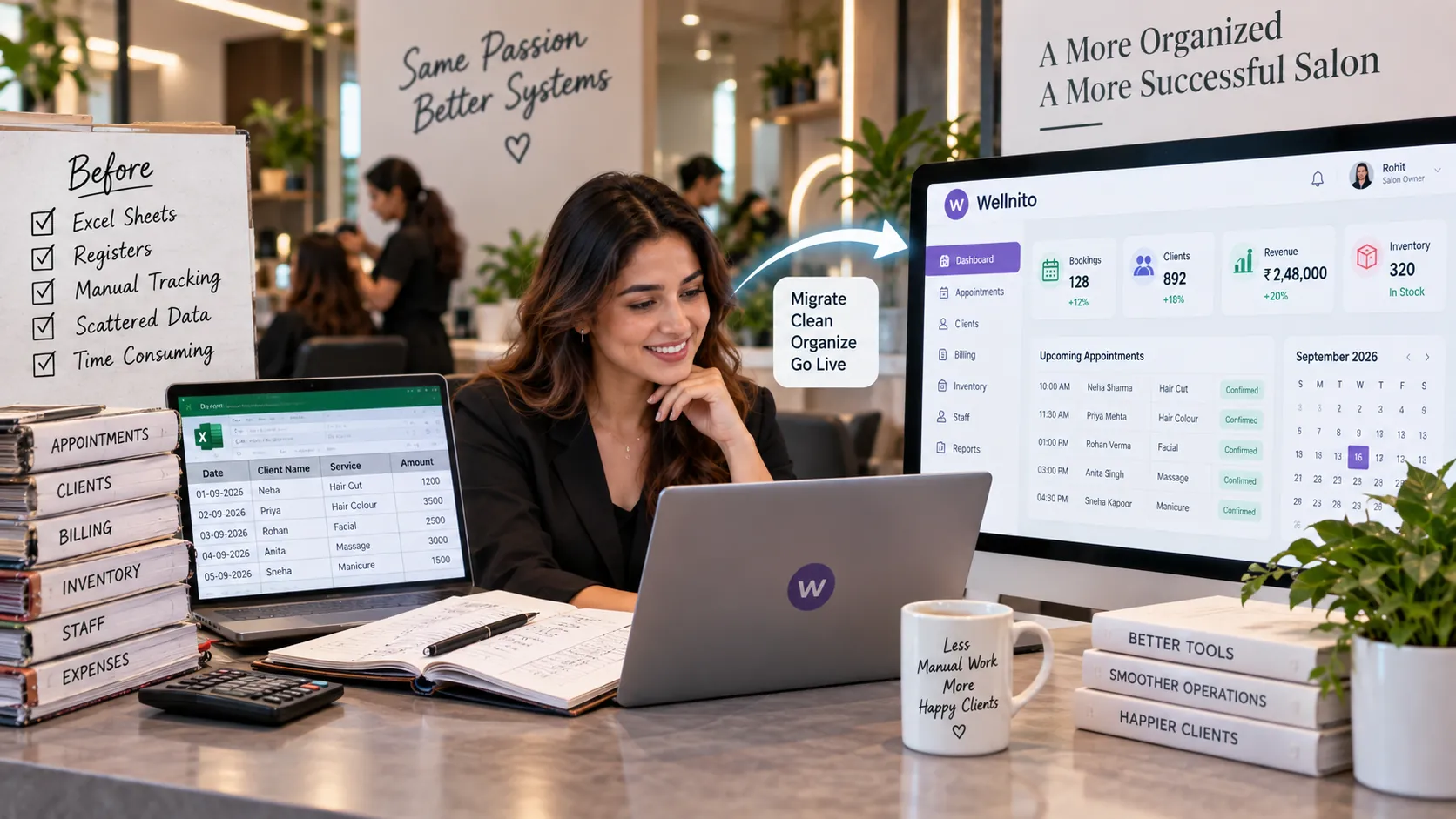
Migrating from Excel, paper registers or disconnected apps to salon management software is a data-cleanup and process-change project, not just a file import.
This guide focuses specifically on cleaning active salon data, testing imports, training staff and setting a firm cutover so the new platform becomes the single source of truth. That narrower scope helps the article answer one search intent thoroughly instead of repeating a general salon-software explanation.
Key takeaways
- List the data that actually needs to move—active clients, service menu, staff, memberships, outstanding packages, inventory and future appointments—before exporting everything.
- Clean duplicate client records, inconsistent phone numbers, old services and invalid prices before import.
- Decide which historical data must remain searchable and which can be archived outside the new operating system.
- Configure services, durations, taxes, staff skills, rooms and pricing before importing future appointments.
- Run a test migration on a sample and verify balances, client history and booking dates before moving the full dataset.
Signs the current process needs attention
The need for migrate salon from Excel to software usually appears as repeated manual correction rather than one dramatic failure. Watch for staff maintaining side lists, clients receiving inconsistent information, managers rebuilding reports in spreadsheets or the same exception being solved differently by each shift.
For this topic, pay particular attention to Migration Error Count and Duplicate Records. If those results are weak, trace individual cases before assuming the solution is simply more automation.
A 30-day implementation playbook
Week 1 — baseline and map the process
Document how the salon currently handles cleaning active salon data, testing imports, training staff and setting a firm cutover so the new platform becomes the single source of truth. Record Migration Error Count and list the most common exception.
Week 2 — change one rule
Apply this principle: List the data that actually needs to move—active clients, service menu, staff, memberships, outstanding packages, inventory and future appointments—before exporting everything Keep unrelated changes to a minimum so the result remains interpretable.
Week 3 — test the difficult case
Use this principle as the stress test: Run a test migration on a sample and verify balances, client history and booking dates before moving the full dataset Ask staff where they still need a workaround.
Week 4 — review and decide
Compare Migration Error Count with Time To Complete Daily Admin. Keep, revise or stop the process based on evidence, then document the final operating rule.
Operating rules to build into the playbook
1. List the data that actually needs to move—active clients, service menu, staff, memberships, outstanding packages, inventory and future appointments—before exporting everything
Treat this migrate salon from Excel to software step as a customer impact. The team should know which data starts the action, which role can change it and how an exception is documented.
Review Migration Error Count after enough cases to see a pattern. If migrate salon from Excel to software improves the number only by adding hidden manual work, simplify the workflow before scaling it.
2. Clean duplicate client records, inconsistent phone numbers, old services and invalid prices before import
For migrate salon from Excel to software, make this management decision explicit in the operating process. Avoid relying on memory or private messages when the action affects a client, appointment, payment or stock record.
Use Duplicate Records as evidence, not as a vanity number. A migrate salon from Excel to software change is stronger when the metric improves and the staff process becomes easier to follow at the same time.
3. Decide which historical data must remain searchable and which can be archived outside the new operating system
This is a data requirement within migrate salon from Excel to software. Configure the normal path first, then decide who handles the uncommon case and where the correction appears later.
Once the rule is live, inspect Staff Adoption together with exception volume. For migrate salon from Excel to software, a stable process should reduce repeated corrections rather than merely hide them.
4. Configure services, durations, taxes, staff skills, rooms and pricing before importing future appointments
A good migrate salon from Excel to software setup treats this point as a operating rule. Keep the required fields and approvals limited to what the salon genuinely needs during a busy shift.
Check Manual Spreadsheet Use After Launch on a regular cadence. If migrate salon from Excel to software produces different results by branch, staff member or service, trace the difference to demand, configuration or execution before standardising a fix.
5. Run a test migration on a sample and verify balances, client history and booking dates before moving the full dataset
Within migrate salon from Excel to software, this commercial check should be testable from one real salon case. Staff must be able to show the record that triggered the action and the record that confirms completion.
Track Billing Errors after the change and compare it with a relevant customer or capacity measure. That prevents migrate salon from Excel to software from optimising one department while creating a problem elsewhere.
6. Choose a clear cutover date and stop parallel editing in multiple spreadsheets once the new system becomes the source of truth
Build this point into the migrate salon from Excel to software workflow as a exception handling. The rule should remain understandable when a new employee follows it without the owner standing nearby.
Measure Time To Complete Daily Admin and review any override reasons. For migrate salon from Excel to software, frequent overrides usually signal that the business rule, source data or permission design needs attention.
7. Train staff around daily workflows—booking, checkout, cancellation, inventory and end-of-day review—rather than giving a feature tour
Use this point to strengthen the salon's scale test for migrate salon from Excel to software. Decide what success looks like before activating automation, and preserve enough history for a manager to audit the outcome.
Compare Migration Error Count before and after the pilot. A migrate salon from Excel to software workflow is ready to scale when the result is repeatable without extra spreadsheets, side notes or constant manager intervention.
8. Audit the first few weeks for duplicate profiles, wrong tax settings, incorrect service durations and permission gaps, then correct the root configuration
In migrate salon from Excel to software, this point belongs to the salon's practical control. Name the owner, identify the source record and define the fallback before the rule goes live.
After real usage, compare Duplicate Records with the baseline. For migrate salon from Excel to software, investigate the actual client, staff or transaction records behind unusual movement before changing the target.
Metrics to track
KPI | Management use |
Migration Error Count | Primary outcome for migrate salon from Excel to software. |
Duplicate Records | Shows whether migrate salon from Excel to software is consistent. |
Staff Adoption | Highlights leakage connected with migrate salon from Excel to software. |
Manual Spreadsheet Use After Launch | Adds commercial context to migrate salon from Excel to software. |
Billing Errors | Helps diagnose migrate salon from Excel to software by segment. |
Time To Complete Daily Admin | Supports the scale decision for migrate salon from Excel to software. |
For migrate salon from Excel to software, pick one primary KPI and use the others diagnostically. A dashboard is useful only when a number leads to a clear management question or action.
Technology checklist
For migrate salon from Excel to software, test the complete process in the software using your own service data. Check permissions, audit history, reporting and how the system handles an exception. A good platform should reduce duplicate entry instead of moving it to another screen.
Frequently asked questions
What is migrate salon from Excel to software?
Migrating from Excel, paper registers or disconnected apps to salon management software is a data-cleanup and process-change project, not just a file import.
Where should a salon start with migrate salon from Excel to software?
Start by documenting the current process and measuring migration error count. Then apply this first principle: List the data that actually needs to move—active clients, service menu, staff, memberships, outstanding packages, inventory and future appointments—before exporting everything. Keep the pilot small enough to inspect exceptions.
How do you measure migrate salon from Excel to software?
Useful measures include migration error count, duplicate records, staff adoption, manual spreadsheet use after launch. Choose one primary outcome and use the others to understand why it changed.
Can a small salon use migrate salon from Excel to software?
Yes. A small salon should use the simplest version of migrate salon from Excel to software that removes a recurring manual problem or improves a measurable customer outcome. Complexity should be added only when the team needs it.
What should software support for migrate salon from Excel to software?
For migrate salon from Excel to software, the system should connect the relevant client, appointment, staff, payment or inventory event to the manager's report. Test a normal migrate salon from Excel to software case, a correction and an exception before choosing a platform.
Search and AI visibility notes
This article is intentionally centred on migrate salon from Excel to software and its related follow-up questions. It should link to broader Wellnito guides when another subject needs deeper explanation rather than duplicating the same material here.
To make this migrate salon from Excel to software guide stronger over time, add first-party evidence such as verified Wellnito screenshots, anonymised workflow examples, calculators, benchmarks or short videos. Original evidence is more useful to readers and more defensible in AI-assisted search than generic summary content.
Final takeaway
Migrate Salon From Excel To Software should improve a real salon outcome and make the underlying process easier to execute or manage. Start with a baseline, test the rule under real operating conditions and scale only when both the numbers and the staff experience support the change.
Wellnito can provide the connected destination for appointments, CRM, billing, staff, inventory and reporting when a salon is ready to move beyond spreadsheets.
Related reading
- [Salon Management Software: Core Features, Benefits & Implementation Guide](/blog/salon-management-software/)
- [Beauty Salon Management Software: Core Features, Benefits & Implementation Guide](/blog/beauty-salon-management-software/)
- [Hair Salon Management Software: Core Features, Benefits & Implementation Guide](/blog/hair-salon-management-software/)
- [Spa Software: Features, Benefits & How to Choose the Right Platform](/blog/spa-software/)